How to make a photo Christmas card for Grandma in 2 minutes
By Kate Mirynowski, founder ·

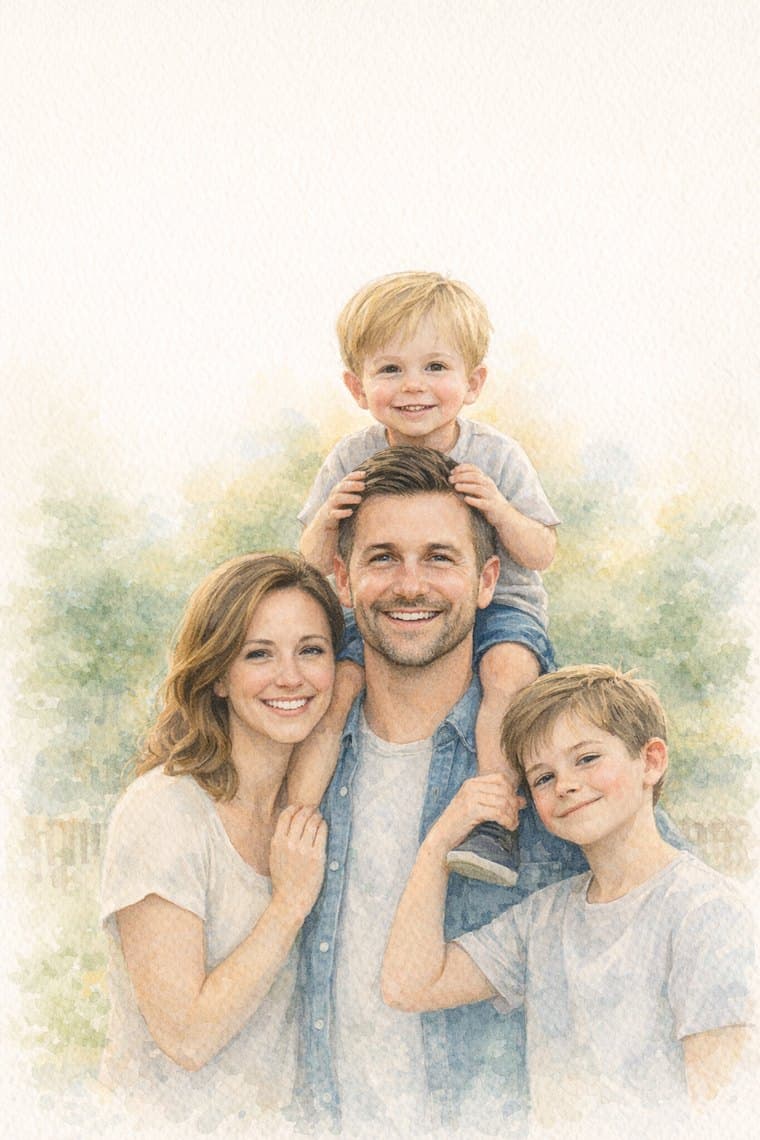
Make Grandma's card from your family photo. Your first card is free, printed and mailed.
Make Grandma's cardEvery year you mean to send Grandma a real Christmas card with a family photo. Every year December fills up, and it turns into a text with a picture attached. She will love the text. She will love a card in her mailbox more.
Here is how to make one from your phone in about two minutes, plus how to pick the photo that makes the best card.
Before you start: pick the right photo
The photo is most of the card, so spend 30 seconds here.
Faces first. Choose a photo where you can see everyone's face clearly. Grandma wants to see the kids, not the backs of their heads.
Close is better than wide. A photo where your family fills most of the frame turns into a better card than a tiny family in front of a big view. If you love a wide shot, crop in a little first.
Good light helps. Daylight near a window or outside in the shade works well. Very dark indoor photos lose detail.
Real moments work. It does not need to be a posed photo in matching sweaters. Kids decorating the tree, a snow day, flour on the counter during cookie baking. These often make the warmest cards.
Skip heavy filters. Use the original photo if you can. The card style will add the color and warmth.
Any phone photo is fine. You don't need a photographer or a fancy camera. The photo from last weekend is plenty.
Step 1. Upload your photo
Go to pigeon-post.ai/grandma and tap Pick a family photo. It opens your camera roll. Choose the photo, and that's it. No account needed to see your card.
Step 2. See it as an illustrated watercolor card
In a few seconds your photo comes back as an illustrated watercolor Christmas card. It is still your family, with a soft, warm look, the kind of card that looks like it belongs on a mantel. If you want a different look, try another photo. Many people try two or three before they pick one.
Step 3. Write the message
The inside message is pre-filled with a suggestion you can edit. Change it, keep it, or write your own. If you are stuck, our post What to write in a Christmas card to Grandma has 50 ideas. Keep it short. Two or three warm sentences beat a full page.
Step 4. Add a video from the kids (optional, but this is the good part)
Record a short video of the kids, or upload one you already have. It prints as a QR code inside the card. When Grandma points her phone camera at the code, the video plays. She doesn't need to download anything.
Ideas for the video:
- The kids saying "Merry Christmas, Grandma!" all at once
- One verse of her favorite carol
- A quick tour of the tree and their favorite ornament
- "Guess what I want for Christmas?"
- A thank-you for last year's gift, held up to the camera
Keep it short and simple. One take is fine. The wobbly, giggly version is usually the one she replays.
Step 5. Add Grandma's address
Type in her address. If you don't have it handy, you can send her a link and she fills in her own address. That also works for in-laws, aunts and anyone whose zip code you've never memorized.
Step 6. Send it
Tap send. We print the card, put it in an envelope, stamp it and mail it to her. You never touch a stamp or stand in a post office line.
There is one more small touch on the back of the card: a second QR code that lets Grandma tell you "I got it." When she taps it, you get a note, so you know it arrived.
When to order
Order by Dec 15 for the card to arrive by Christmas. For reference, the US Postal Service recommends sending First-Class Mail by Thursday, Dec. 17 for delivery before Dec. 25 in the Lower 48 (USPS holiday dates). Our Dec 15 cutoff gives us time to print and mail before that.
What it costs
Your first card is free, printed and mailed. After that, cards are $1.78 each, printed and mailed. No subscription is needed for the first card.
Common questions
Does Grandma need an app to watch the video? No. She opens her phone camera, points it at the code inside the card, and taps the link that pops up. The video plays in her browser.
Can I send the same card to both grandmas? Yes. Make the card once, then add each address. Each card is printed and mailed separately.
What if I don't love how my photo turned out? Try another photo. Clear faces and good light make the biggest difference, so a close daytime shot usually wins.
Is it a real, printed card? Yes. It's printed, put in an envelope, stamped and mailed through USPS. Nothing for you to print at home.
Quick recap
- Pick a clear, close photo with everyone's faces.
- Upload it at pigeon-post.ai/grandma.
- Write two or three warm sentences.
- Add a short video from the kids.
- Add Grandma's address, or send her the link.
- Tap send by Dec 15.
That's the whole thing. Two minutes on your phone, and Grandma gets her family in the mailbox, plus a video she can watch whenever she misses them.